.png?width=180&height=40&name=00-primary%20(10).png)
NOTE: Only Org Administrators have access to merge.
USE CAUTION! This action CANNOT be reversed. Please ensure you are confident that the Profile data matches between the profiles, using: Name, Date of Birth, Player IDs, Email, etc.
Steps to Merge PLAYER Records:
1. From the top Organization-level, hit the "Merge Players" button in the top-right corner.

2. Search and select by name for each of the Player Profiles to be merged.
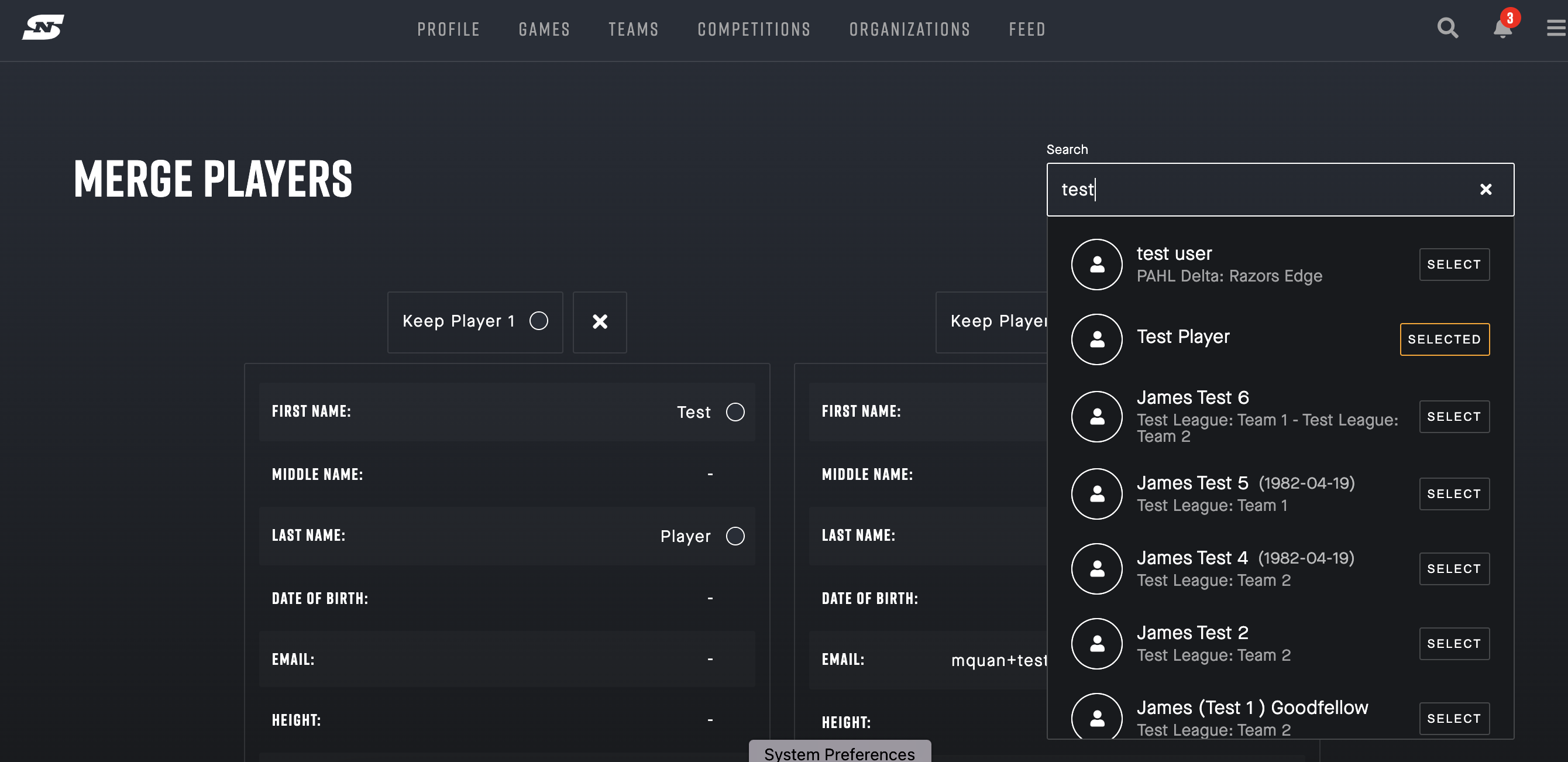
3. Review and compare the profile data carefully. Then, Select the Profile you would like to keep (and have the others merge into).

Caution! This action CANNOT be reversed.
Please ensure you are confident that the Profile data matches between the profiles, using: Name, Date of Birth, Player IDs, Email, etc.
Steps to Merge TEAM Records:
Step 1: Select the Merge icon on Web/Desktop, the choose "merge teams"
Step 2: Search for the team names in the dropdown, one at a time and select each.
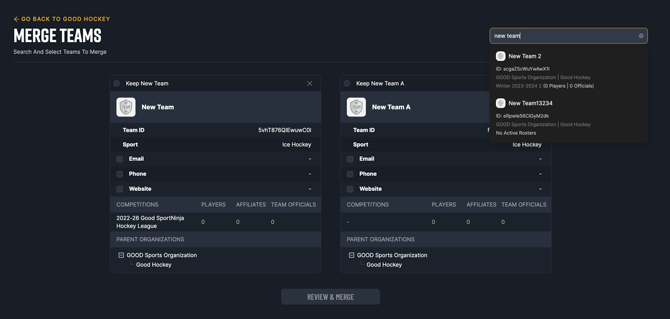
Step 3: Select the primary entity for the team details you want to maintain and then hit the "review and merge" button.
Caution! This action CANNOT be reversed.
Please ensure you are confident that the Team Data matches.